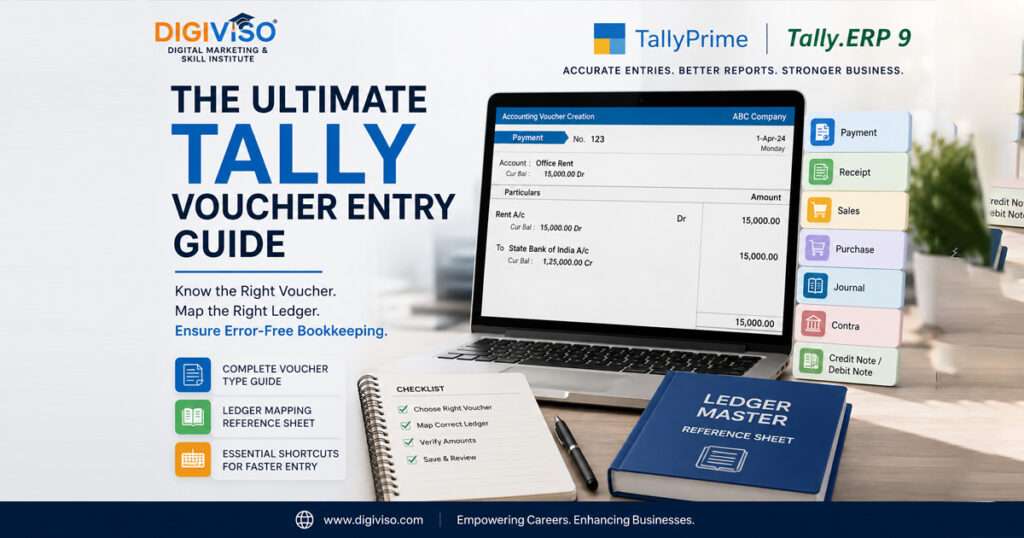
Mastering accounting software like TallyPrime and Tally.ERP 9 doesn’t have to be a guessing game. Whether you are a business owner setting up your books or an accountant looking to speed up data entry, knowing exactly which Tally voucher entry type to use and where to map your ledgers is the secret to error-free bookkeeping.
Tally voucher entry guide is a comprehensive, SEO-optimized Tally voucher entry guide covers everything you need to know: the core voucher logic, essential keyboard shortcuts, and a custom-tailored ledger master reference sheet.
Table of Contents
How to Decide Which Voucher Type to Use
Before opening any entry screen in Tally, eliminate the guesswork by asking two simple questions: Is cash or bank moving? and Are goods or services being bought/sold?
                    IS CASH OR BANK INVOLVED?
                           /         \
                         YES         NO
                         /             \
         Is money coming in?      Is it a purchase or sale of goods?
             /         \                  /               \
           YES          NO              YES               NO
           /             \              /                   \
     [F6: Receipt]   [F5: Payment]   [F8: Sales]       [F7: Journal]
                                   or [F9: Purchase]
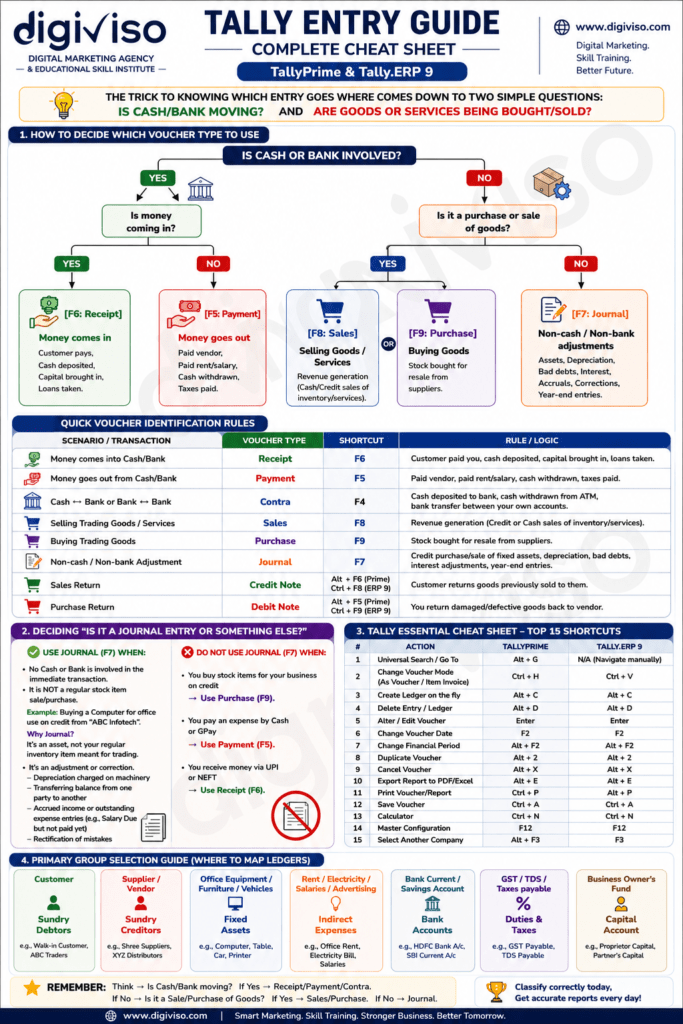
Quick Voucher Identification Rules
| Scenario / Transaction | Voucher Type | Shortcut | Rule / Logic |
|---|---|---|---|
| Money comes into Cash/Bank | Receipt | F6 | Customer paid you, cash deposited, capital brought in, loans taken. |
| Money goes out from Cash/Bank | Payment | F5 | Paid vendor, paid rent/salary, cash withdrawn, taxes paid. |
| Cash ↔ Bank or Bank ↔ Bank | Contra | F4 | Cash deposited to bank, cash withdrawn from ATM, bank transfer between your own accounts. |
| Selling Trading Goods / Services | Sales | F8 | Revenue generation (Credit or Cash sales of inventory/services). |
| Buying Trading Goods | Purchase | F9 | Stock bought for resale from suppliers. |
| Non-cash / Non-bank Adjustment | Journal | F7 | Credit purchase/sale of fixed assets, depreciation, bad debts, interest adjustments, year-end entries. |
| Purchase Return | Debit Note | Alt + F5 (Prime) Ctrl + F9 (ERP9) | You return damaged/defective goods back to vendor. |
Deciding: Is it a Journal Entry or Something Else?
People often confuse Purchase/Sales entries with Journal entries (F7). Follow these boundaries to stay accurate:
Use Journal (F7) when:
- No Cash or Bank is involved in the immediate transaction.
- It is not a regular stock item sale/purchase (e.g., buying a computer for office use on credit from a vendor).
- It involves adjustments, asset depreciation, write-offs, or accrued expenses/income.
DO NOT use Journal (F7) when:
- You buy stock items for your business on credit → Use Purchase (F9).
- You pay an expense via cash or UPI → Use Payment (F5).
- You receive money via bank transfer → Use Receipt (F6).
Tally Voucher Entry Guide Essential Cheat Sheet: Top Navigation Shortcuts
Speed up your workflow in TallyPrime and Tally.ERP 9 with these essential keyboard shortcuts:
| Action / Feature | TallyPrime Shortcut | Tally.ERP 9 Shortcut |
|---|---|---|
| Universal Search / Go To | Alt + G | N/A (Navigate manually) |
| Change Voucher Mode (As Voucher / Item Invoice) | Ctrl + H | Ctrl + V |
| Create Ledger on the fly | Alt + C | Alt + C |
| Delete Entry / Ledger | Alt + D | Alt + D |
| Alter / Edit Voucher | Enter | Enter |
| Change Voucher Date | F2 | F2 |
| Change Financial Period | Alt + F2 | Alt + F2 |
| Duplicate Voucher | Alt + 2 | Alt + 2 |
| Cancel Voucher | Alt + X | Alt + X |
| Export Report to PDF/Excel | Alt + E | Alt + E |
| Print Voucher/Report | Ctrl + P | Alt + P |
| Save Voucher | Ctrl + A | Ctrl + A |
| Calculator | Ctrl + N | Ctrl + N |
| Master Configuration | F12 | F12 |
| Select Another Company | Alt + F3 | F3 |
Primary Group Selection & Custom Ledger Mapping Guide
When creating a ledger using Alt + C, picking the correct group determines your balance sheet and profit & loss accuracy.
Below is a refined, comprehensive ledger master mapping guide tailored for common business accounts (excluding Sales Return, and mapping Debit Note exclusively to Purchase Return, with tax handles for CGST, IGST, and Cess Tax):
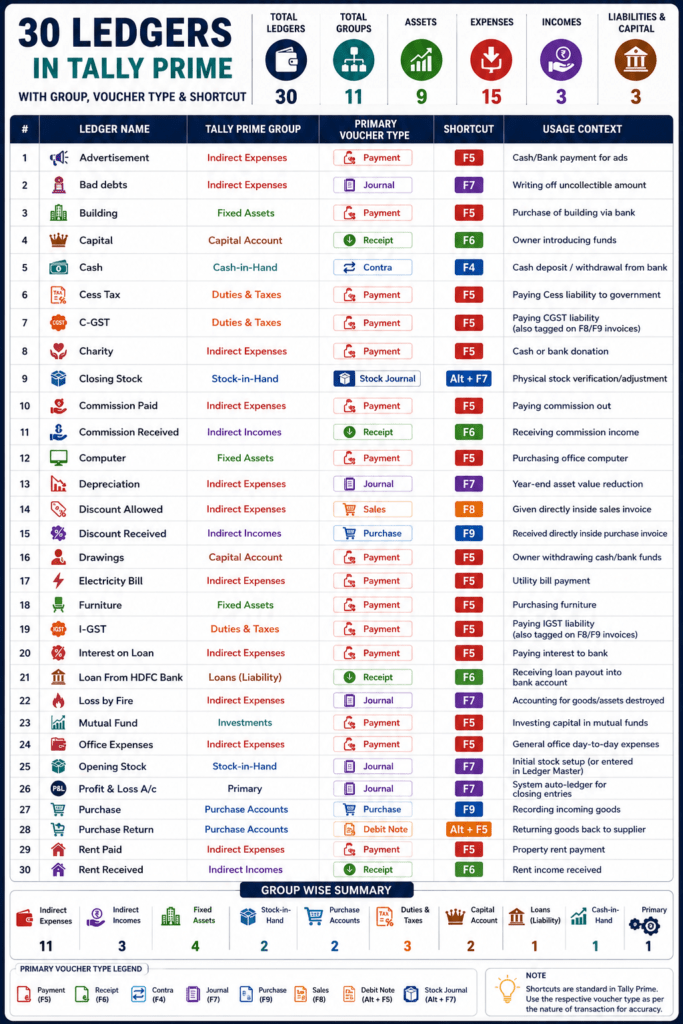
Tally Prime Ledgers Reference Table
| # | Ledger Name | Tally Prime Group | Primary Voucher Type | Shortcut | Usage Context |
|---|---|---|---|---|---|
| 1 | Advertisement | Indirect Expenses | Payment | F5 | Cash/Bank payment for ads |
| 2 | Bad debts | Indirect Expenses | Journal | F7 | Writing off uncollectible amount |
| 3 | Building | Fixed Assets | Payment | F5 | Purchase of building via bank |
| 4 | Capital | Capital Account | Receipt | F6 | Owner introducing funds |
| 5 | Cash | Cash-in-Hand | Contra | F4 | Cash deposit / withdrawal from bank |
| 6 | Cess Tax | Duties & Taxes | Payment | F5 | Paying Cess liability to government |
| 7 | C-GST | Duties & Taxes | Payment | F5 | Paying CGST liability (also tagged on F8/F9 invoices) |
| 8 | Charity | Indirect Expenses | Payment | F5 | Cash or bank donation |
| 9 | Closing Stock | Stock-in-Hand | Stock Journal | Alt + F7 | Physical stock verification/adjustment |
| 10 | Commission Paid | Indirect Expenses | Payment | F5 | Paying commission out |
| 11 | Commission Received | Indirect Incomes | Receipt | F6 | Receiving commission income |
| 12 | Computer | Fixed Assets | Payment | F5 | Purchasing office computer |
| 13 | Depreciation | Indirect Expenses | Journal | F7 | Year-end asset value reduction |
| 14 | Discount Allowed | Indirect Expenses | Sales | F8 | Given directly inside sales invoice |
| 15 | Discount Received | Indirect Incomes | Purchase | F9 | Received directly inside purchase invoice |
| 16 | Drawings | Capital Account | Payment | F5 | Owner withdrawing cash/bank funds |
| 17 | Electricity Bill | Indirect Expenses | Payment | F5 | Utility bill payment |
| 18 | Furniture | Fixed Assets | Payment | F5 | Purchasing furniture |
| 19 | I-GST | Duties & Taxes | Payment | F5 | Paying IGST liability (also tagged on F8/F9 invoices) |
| 20 | Interest on Loan | Indirect Expenses | Payment | F5 | Paying interest to bank |
| 21 | Loan From HDFC Bank | Loans (Liability) | Receipt | F6 | Receiving loan payout into bank account |
| 22 | Loss by Fire | Indirect Expenses | Journal | F7 | Accounting for goods/assets destroyed |
| 23 | Mutual Fund | Investments | Payment | F5 | Investing capital in mutual funds |
| 24 | Office Expenses | Indirect Expenses | Payment | F5 | General office day-to-day expenses |
| 25 | Opening Stock | Stock-in-Hand | Journal | F7 | Initial stock setup (or entered in Ledger Master) |
| 26 | Profit & Loss A/c | Primary | Journal | F7 | System auto-ledger for closing entries |
| 27 | Purchase | Purchase Accounts | Purchase | F9 | Recording incoming goods |
| 28 | Purchase Return | Purchase Accounts | Debit Note | Alt + F5 | Returning goods back to supplier |
| 29 | Rent Paid | Indirect Expenses | Payment | F5 | Property rent payment |
| 30 | Rent Received | Indirect Incomes | Receipt | F6 | Receiving rent income |
Conclusion
By keeping this structural cheat sheet handy, you eliminate posting errors, save hours on reconciliation, and navigate TallyPrime or Tally.ERP 9 like a seasoned accountant. Bookmark this Tally voucher entry guide to streamline your daily bookkeeping entries!